
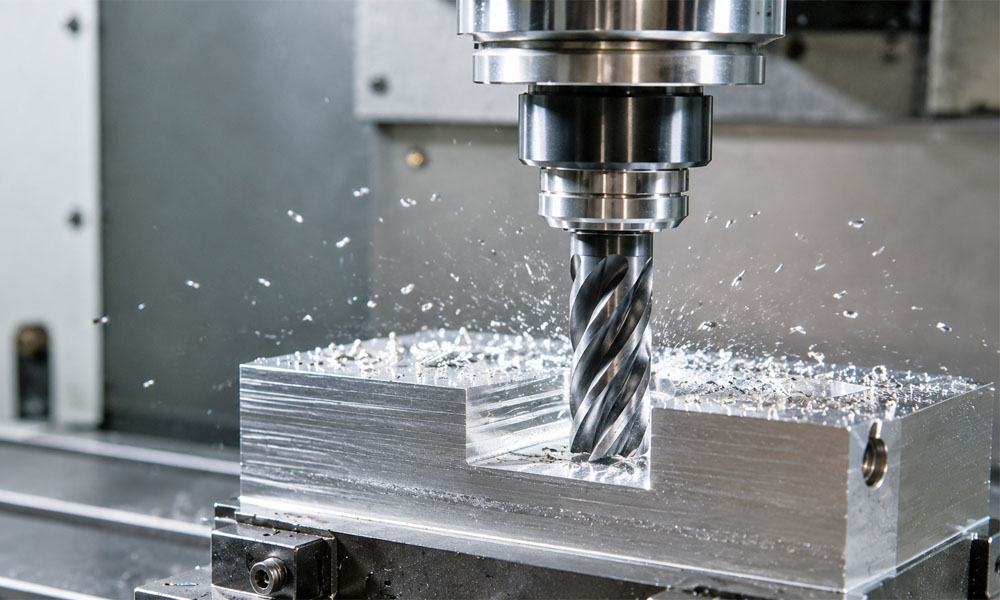
Machining looks simple from the outside. A tool spins. Metal comes off. A part takes shape.
But anyone who has burned up an end mill, snapped a drill, or made a part scream with chatter knows the truth: cutting metal is all about balance.
That balance comes down to speeds and feeds.
Get them right, and the tool cuts clean chips, the part looks better, and the tool lasts longer. Get them wrong, and you get heat, noise, rough finishes, broken tools, and wasted time.
This guide explains machining speeds and feeds in plain English, with a practical chart you can use as a starting point.
What Are Speeds and Feeds?
“Speeds and feeds” is shop language for two different settings.
Speed is how fast the cutting edge moves across the material. In many machine shops, this is measured as SFM, which means surface feet per minute. The machine turns that into RPM, or revolutions per minute.
Feed is how fast the tool moves through the cut. In milling, feed is often based on chip load, which means how much material each cutting edge removes on each turn.
Think of it this way:
- Speed controls how fast the edge is moving.
- Feed controls how big of a bite the tool takes.
Both matter. A tool that spins fast but barely feeds may rub instead of cut. A tool that feeds too hard may overload and break. The goal is to make the tool cut real chips at a steady rate.
Why Speeds and Feeds Matter
Correct speeds and feeds affect almost every part of the machining process.
They help control:
- Tool life
- Heat
- Chip size
- Surface finish
- Part accuracy
- Chatter
- Cycle time
- Tool breakage
A good cut usually sounds steady. The chips look clean. The tool is cutting, not rubbing. The machine is loaded, but not struggling.
A bad cut gives warnings. You may hear squealing, see smoke, feel vibration, or notice chips turning into dust. Those are signs that the tool, material, and machine are not working together.
The Two Basic Formulas
You do not need to guess your starting point. Use the toolmaker’s chart, then calculate RPM and feed rate.
RPM Formula
RPM = (SFM × 3.82) ÷ Tool Diameter
Example:
A 1/2″ end mill cutting aluminum at 1,000 SFM:
RPM = (1,000 × 3.82) ÷ 0.5
RPM = 7,640
Feed Rate Formula
Feed Rate = RPM × Chip Load × Number of Flutes
Example:
A 1/2″ 4-flute end mill at 7,640 RPM with a 0.004″ chip load:
Feed Rate = 7,640 × 0.004 × 4
Feed Rate = 122 IPM
That number may be too high for some smaller or less rigid machines. That is why speeds and feeds are always a starting point. The machine, setup, tool length, tool holder, coolant, and depth of cut all matter.
Machining Speed and Feed Chart
The chart below gives general starting points for solid carbide end mills. Use it for light to moderate milling. Always check your toolmaker’s data when available.
Aluminum 6061 / 7075
- Starting SFM: 800–1,500
- Chip Load for 1/4″ End Mill: 0.002″
- Chip Load for 1/2″ End Mill: 0.004″
- Notes: Use sharp tools. Clear chips well. Lubrication helps prevent aluminum from welding to the tool.
Brass / Copper Alloys
- Starting SFM: 600–1,500
- Chip Load for 1/4″ End Mill: 0.002″
- Chip Load for 1/2″ End Mill: 0.003″
- Notes: Usually cuts freely, but copper can be gummy. Watch for built-up edge.
Low Carbon Steel / 1018
- Starting SFM: 100–300
- Chip Load for 1/4″ End Mill: 0.0015″
- Chip Load for 1/2″ End Mill: 0.003″
- Notes: Start in the middle if the setup is rigid. Lower speed if the tool is long or the cut is heavy.
Alloy Steel / 4140
- Starting SFM: 60–250
- Chip Load for 1/4″ End Mill: 0.001″
- Chip Load for 1/2″ End Mill: 0.002″
- Notes: Use a rigid setup. Reduce speed for harder material or deeper cuts.
Gray Cast Iron
- Starting SFM: 100–400
- Chip Load for 1/4″ End Mill: 0.002″
- Chip Load for 1/2″ End Mill: 0.004″
- Notes: Often run dry with air. Control dust and protect the machine.
Stainless Steel 304 / 316
- Starting SFM: 100–250
- Chip Load for 1/4″ End Mill: 0.0005″
- Chip Load for 1/2″ End Mill: 0.0015″
- Notes: Do not dwell. Keep the tool cutting to avoid work hardening. Use cutting fluid when needed.
Titanium 6Al-4V
- Starting SFM: 50–250
- Chip Load for 1/4″ End Mill: 0.0005″
- Chip Load for 1/2″ End Mill: 0.001″
- Notes: Heat is a major issue. Use strong tooling, good chip evacuation, and proper cutting fluid.
Important Chart Notes
This chart is not a promise. It is a starting point.
Reduce the numbers when:
- The tool sticks out far from the holder
- The machine is not very rigid
- The workholding is weak
- The cut is deep or full slotting
- The tool is worn
- The part has thin walls
- The material is harder than expected
You can often increase the numbers when:
- The toolmaker gives a higher range
- The setup is very rigid
- The tool is short and well held
- The chips clear cleanly
- The cut is light
- The machine has enough spindle speed and horsepower
Speed Problems: Too Fast vs. Too Slow
Speed has a big effect on heat.
If the RPM is too high, the cutting edge can get hot fast. This may dull the tool, damage the coating, burn the material, or create built-up edge.
If the RPM is too low, the tool may not cut smoothly. If the feed is also too low, the edge can rub. Rubbing creates heat too, but it does it in a worse way. Instead of heat leaving with the chip, more heat goes into the tool and workpiece.
This is one reason beginners get confused. Slower is not always safer. A slow, rubbing cut can destroy a tool.
Feed Problems: Too Heavy vs. Too Light
Feed controls chip thickness.
If the feed is too high, the tool takes too big of a bite. This can cause chatter, poor finish, tool deflection, or broken cutters.
If the feed is too low, the tool takes too small of a bite. Instead of shearing off a chip, the edge rubs along the surface. That causes heat, wear, and poor finish.
A healthy chip matters. Chips carry heat away from the cut. If you are making dust, powder, or tiny flakes instead of chips, the tool may be rubbing.
Heat: The Hidden Enemy in Machining
Heat is one of the biggest reasons tools fail.
Cutting metal creates heat at the point where the tool, chip, and workpiece meet. Some heat is normal. The problem is too much heat, or heat going into the wrong place.
A good cut sends much of the heat out with the chips. That is why chip color, chip shape, and chip flow matter.
Too much heat can cause:
- Fast tool wear
- Built-up edge
- Work hardening
- Poor surface finish
- Loss of part accuracy
- Tool coating failure
- Broken drills, taps, or end mills
Stainless steel and titanium need extra care because they do not move heat away from the cutting zone as easily as aluminum or mild steel. Stainless can also work harden. That means the surface gets harder if the tool rubs or dwells in one spot.
The fix is not just “add coolant.” The real fix is a full system:
- Use the right speed
- Keep the correct chip load
- Avoid rubbing
- Clear chips
- Use a sharp tool
- Keep the setup rigid
- Apply the right cutting fluid when needed
Where Cutting Fluid Fits In
Cutting fluid helps in three main ways.
First, it reduces friction between the tool and the material. Less friction means less heat and less wear.
Second, it can help move heat away from the cutting zone.
Third, it helps with chip flow, especially in drilling, tapping, sawing, and milling gummy materials.
Cutting fluid is not magic. It cannot fix a dull tool, a loose setup, or a feed rate that is way off. But when the cut is close, the right fluid can make a big difference.
How to Read the Chips
Chips tell you what is happening.
Good chips are formed, steady, and leave the cut cleanly.
Dust or powder may mean the tool is rubbing or the feed is too low.
Long stringy chips may mean chip evacuation is poor, especially in drilling or turning.
Blue or dark chips can mean heat is high. Some color can be normal in steel, but heavy heat signs should be taken seriously.
Chips welding to the tool often happens in aluminum or stainless when heat and friction get too high. A sharp tool, better chip clearing, and cutting fluid can help.
Common Speeds and Feeds Mistakes
Mistake 1: Only Lowering RPM When There Is Chatter
Lowering RPM can help, but it is not always the real fix. Chatter can also come from low chip load, long tool stickout, weak workholding, or too much depth of cut.
Mistake 2: Feeding Too Slowly
A light feed may feel safe, but it can cause rubbing. Rubbing makes heat and wears the cutting edge.
Mistake 3: Ignoring Tool Stickout
The farther the tool sticks out, the less rigid it is. Long tools need lighter cuts.
Mistake 4: Full Slotting Like It Is Side Milling
Slotting is harder on the tool because chips have fewer places to go. Reduce feed and watch chip evacuation.
Mistake 5: Using the Same Settings for Every Material
Aluminum, steel, stainless, cast iron, and titanium do not cut the same way. They need different speeds, chip loads, tools, and lubrication plans.
A Simple Setup Process
Use this process before starting a job:
- Identify the material.
- Choose the tool type, diameter, coating, and number of flutes.
- Look up the toolmaker’s recommended SFM and chip load.
- Calculate RPM.
- Calculate feed rate.
- Adjust for machine rigidity, tool stickout, and depth of cut.
- Make a test cut.
- Watch the chips, listen to the cut, and check the finish.
- Make small changes.
- Write down what worked.
Good machinists do not guess every time. They build a record of proven settings.
Final Takeaway
Speeds and feeds are not just numbers in a calculator. They control how the tool cuts, how heat moves, how chips form, and how long the tool lasts.
The goal is simple: make the tool cut clean chips without rubbing, overheating, or overloading.
Start with the toolmaker’s data. Use the formulas. Respect the material. Watch the chips. Use cutting fluid, such as Anchorlube, when friction, heat, or chip flow need extra help.
The best cut is not always the fastest cut. It is the cut that is stable, repeatable, and clean.